
Keynote to PowerPoint: The 3 Best Methods for Mac [EN]
Keynote is undoubtedly a powerful tool for creating impressive presentations on the Mac. However, in the business world, Microsoft PowerPoint remains the standard. If you need to share your Keynote files (.key) with colleagues using Windows, or if the target hardware only supports PowerPoint, conversion is inevitable.
In this article, we present the three best methods to convert Keynote to PowerPoint – from the integrated solution to efficient batch conversion.
Method 1: The Classic Export Function in Keynote
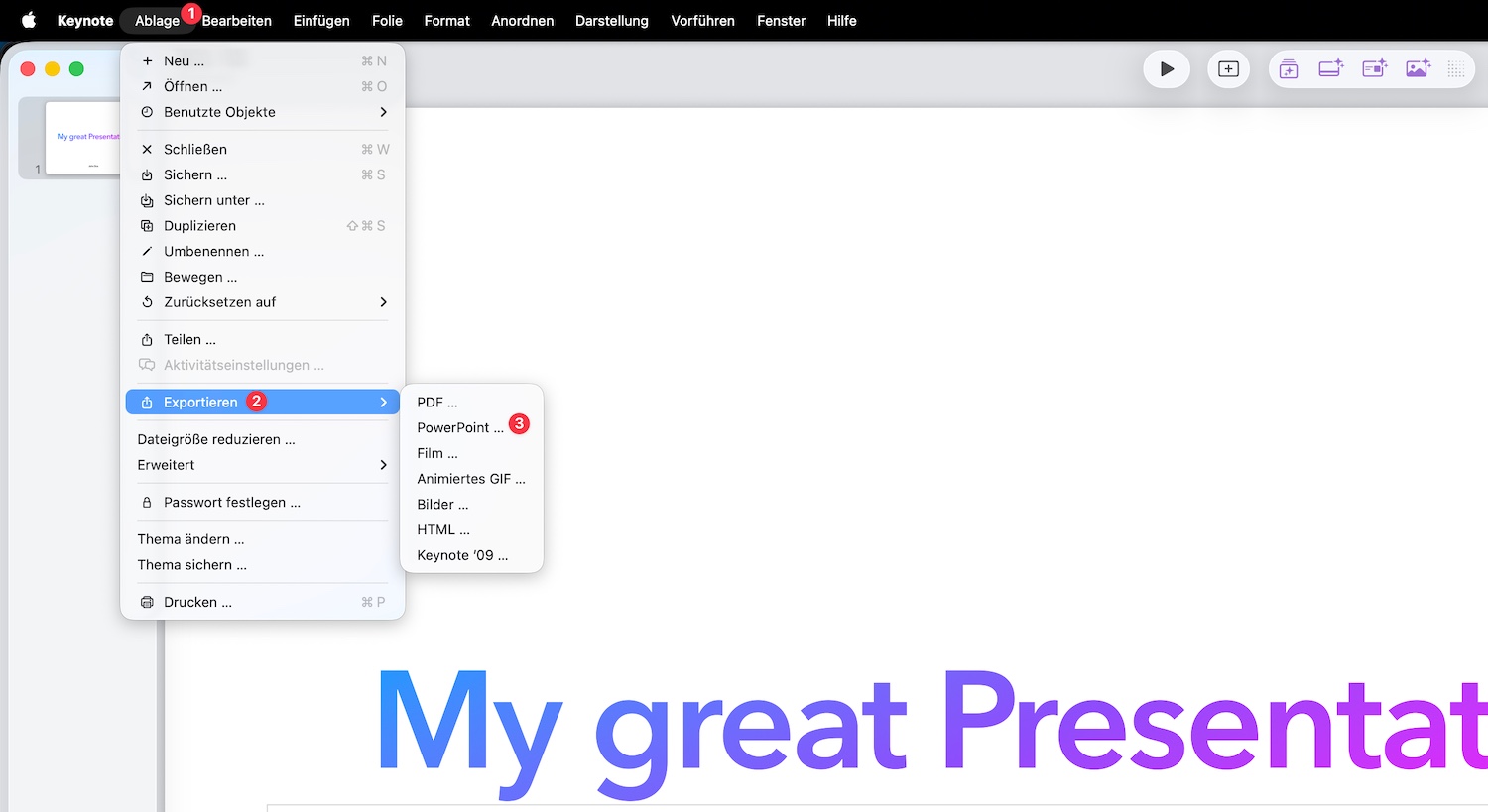 The most obvious method is direct export from within the Keynote app itself. Apple has integrated this feature directly, which is ideal for individual files.
Step-by-Step:
- Open your presentation in Keynote.
- In the menu bar, go to File > Export To > PowerPoint….
- In the “PowerPoint” tab, select the format (.pptx or the older .ppt) under “Advanced Options” if needed.
- Click Next…, enter a filename, and choose a storage location.
- Confirm with Export.
Advantage: No additional software required, high quality. Disadvantage: Time-consuming if you need to process many files individually.
Method 2: Conversion via iCloud (for on the go)
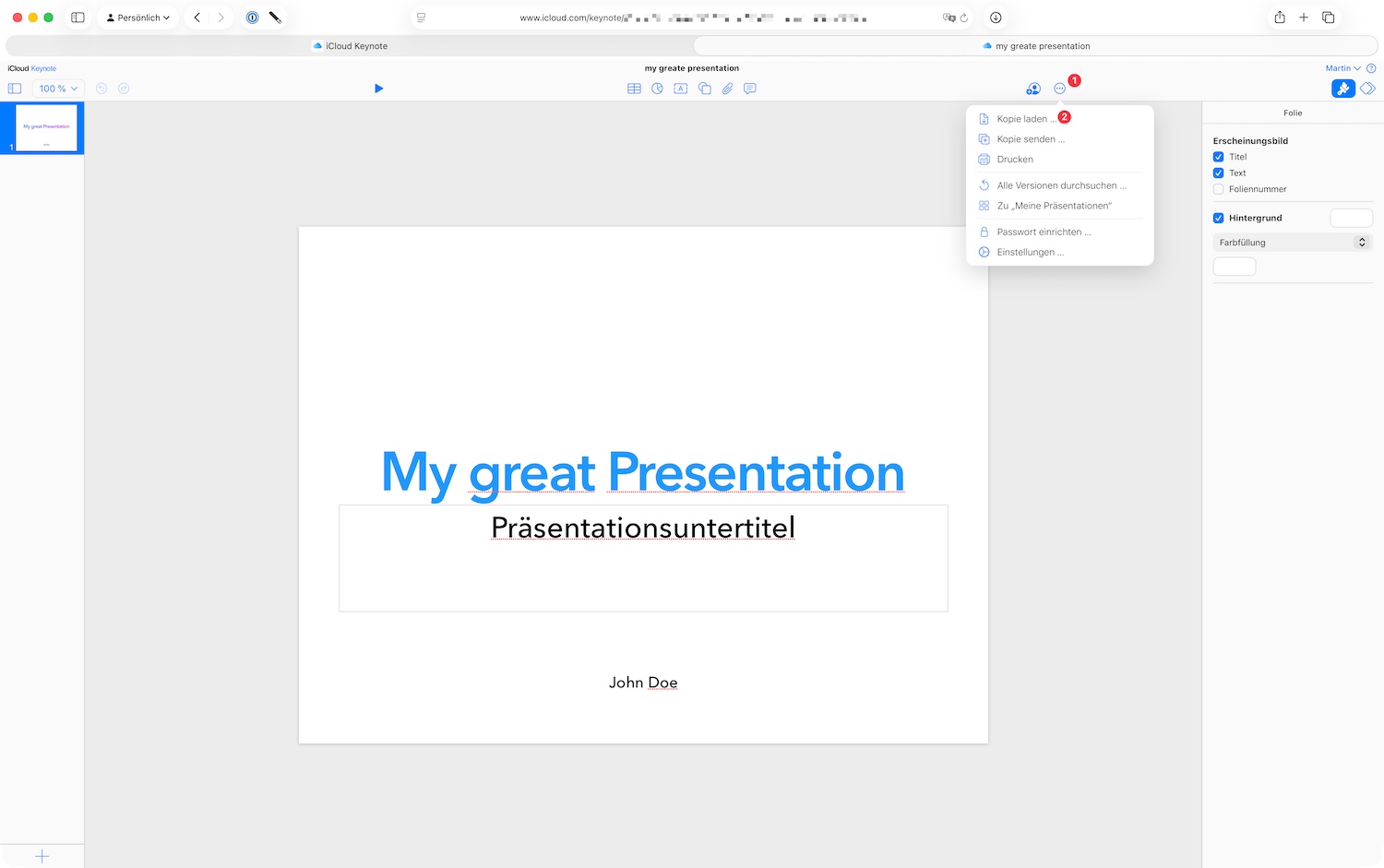 If you are not at your own Mac or don’t have the Keynote app installed, iCloud.com offers an excellent browser-based solution.
Step-by-Step:
- Sign in to iCloud.com with your Apple ID.
- Open the Keynote web app.
- Upload your .key file by dragging it into the window.
- Click the More icon (three dots) on the file’s thumbnail.
- Select Download a Copy… and click PowerPoint.
Advantage: Works on any operating system in the browser. Disadvantage: Internet connection required, upload times for large files.
Method 3: Efficient Batch Conversion with Docxtor
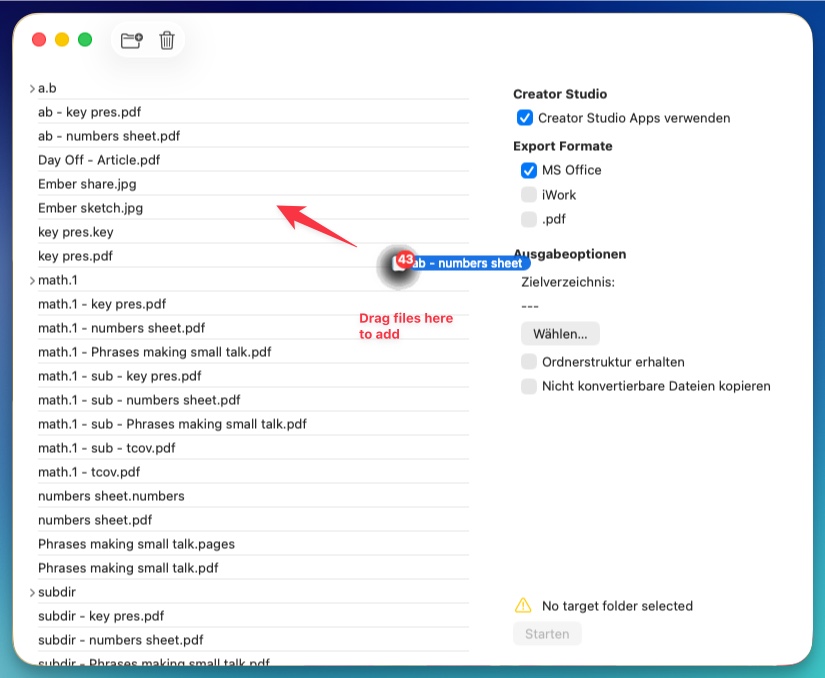 If you regularly face the challenge of converting entire folders full of Keynote presentations, manual methods quickly reach their limits. This is where specialized tools like Docxtor come in.
Docxtor is designed to drastically speed up the workflow by automating the conversion. Instead of opening and exporting each file individually, Docxtor does this in the background for you. It not only converts your files but also rebuilds complete folder structures, preserving your original organization.
It’s that simple:
- Start Docxtor on your Mac.
- Drag & drop all Keynote files or entire folders into the app window.
- Select PowerPoint (.pptx) as the target format.
- A click on Convert is enough, and Docxtor processes the list independently.
Advantage: Massive time savings for many files, preservation of folder structure, easy operation. Ideal for: Agencies, students, or business users who want to optimize their workflow.
Conclusion
For the occasional conversion of a single presentation, Keynote’s integrated export function is perfectly sufficient. However, for those who want to remain flexible or regularly work with large quantities of iWork documents, Docxtor provides the most efficient solution to save valuable time and focus on what matters: the content of your presentation.